Make your hardest call before it counts.
AI customers that think, push back and react like real people. Practise by voice, get a report the moment you hang up. Build campaigns from your own scripts, add realistic AI customers with voices, and know who is ready for live customers.
Practise calls on your company's campaigns, or set up Sim Studio for your team.
Upload your script, or build it step by step: product, rules, what must be said.
Pick them from the customer library, each with their own voice.
Agents practise by voice. Every call is recorded and scored for you.
120 AI customers, each with their own personality, money worries and voice. Made up, never real people.
Based on the Sim Studio app. Sample data only.
Your campaigns, scripts and customers.
Inbound service, outbound sales and collections teams that onboard new agents every month. Build the campaign once and every agent practises it.
Call anyone, at any difficulty.
Learn how to cold call anyone. Set up your offer, choose who to call and how hard they are, make the call, and read your report.
A real conversation, then a report the moment you hang up
The AI customer answers in a natural voice and pushes back on your actual offer. In the app a live callout points out what just happened, such as “That's the second time you've apologised.” When the call ends, the report scores the opener, discovery, objections and next step.
- A library of 120 AI customers, each with their own personality, money worries and voice. Made up, never real people
- Realistic AI customers with voices, each with their own personality, background and objections
- Campaigns built from your own script, products and compliance lines
- Practice calls your agents take on a phone or laptop, as often as they need
- A report on every call: what went well, what was missed, and what to coach
- Your own company account: you invite agents and see their progress
- A plan sized to your intake, with a monthly fee you know in advance
- Ask Megan, an AI guide, built into the app to help you find your way
“Look, I already pay for car insurance every month. Why would I need a warranty on top of that?”
- Opening and compliance lines92
- Finding out what they need78
- Handling objections64
- Closing and next steps71
Example only. The customer, call and scores are made up.
Set it up once, practise as often as you like
For contact centres
- 1
Sign up
Register your company in Sim Studio and choose a plan.
- 2
Create a campaign
Paste your campaign script, then add your products, rules and compliance lines.
- 3
Add customers
Pick AI customers from the library or create your own, then give each one the situation for your campaign: what they want and what they push back on.
- 4
Publish
Try the calls yourself, then publish the campaign when it is ready.
- 5
Invite agents
Send invitations. Agents create an account and start practising straight away.
- 6
Read per-call reports
Every practice call gets a report, so you can see who is ready and who needs coaching.
For sales teams
Beta- 1
Set up your offer once
Your company, what you sell, who you sell to, why they should switch. Paste your website and the AI drafts it for you to check.
- 2
Choose who to call
Type a company, or let Sim Studio pick one that fits your buyers. Choose the person (owner, financial director, CEO, procurement, gatekeeper) and the goal of the call.
- 3
Pick how hard
Friendly, Realistic, Tough or Brutal. Brutal interrupts, sets time limits and hangs up on a weak opener, like a real busy executive.
- 4
Make the call
Talk out loud, as on a real call. The prospect answers in a natural voice and pushes back on your actual offer.
- 5
Read your report
Straight after the call: what worked, what didn't, the exact moments, and what to say instead next time.
What you see when you log in
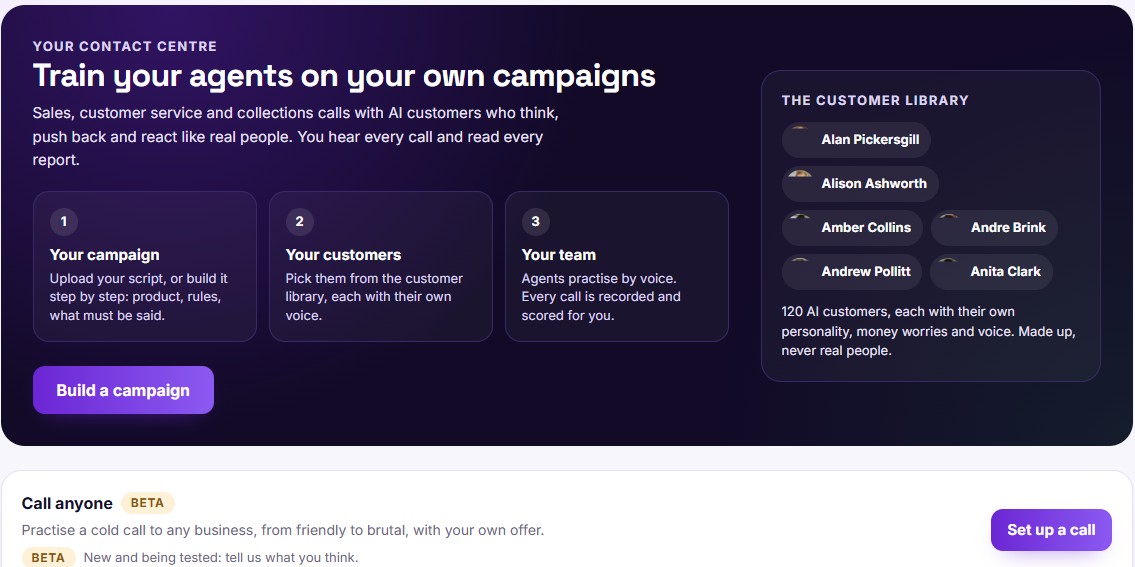
Build a campaign from your own script, pick customers from the library of 120 AI customers, and send your team in. Call anyone (Beta) sits right below for cold-call practice.
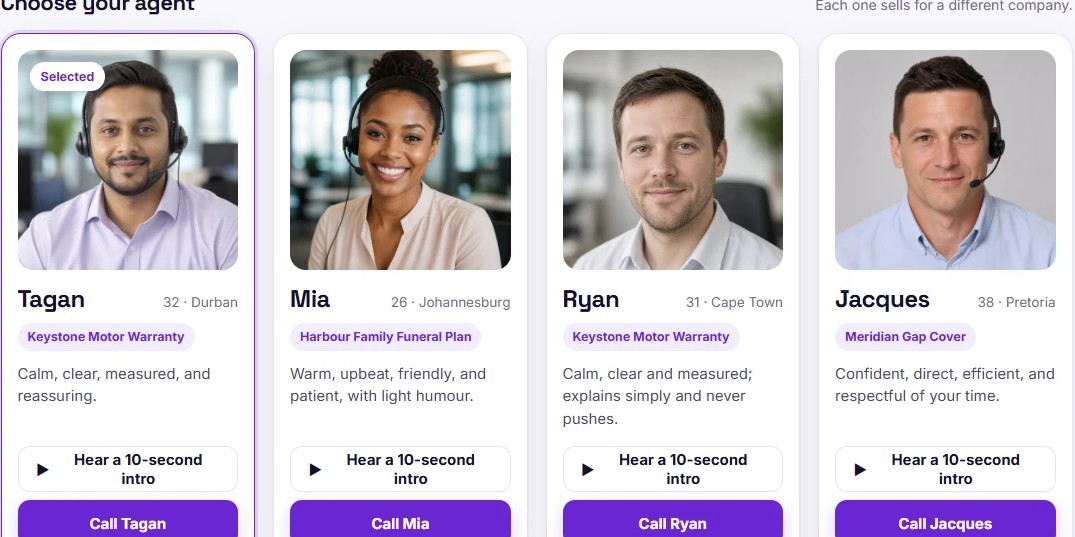
Choose a customer or agent, see who they are and how they behave, hear a 10-second intro, then start the call in your browser.
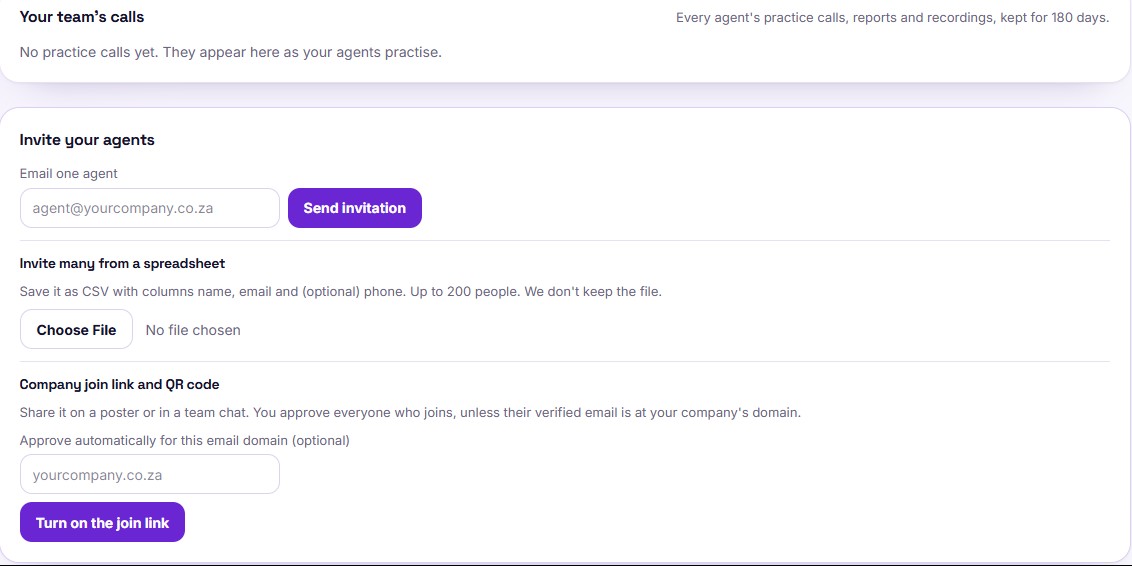
Email one agent, upload a spreadsheet of up to 200 people, or share a company join link and QR code. Your team's calls and reports appear in one place.
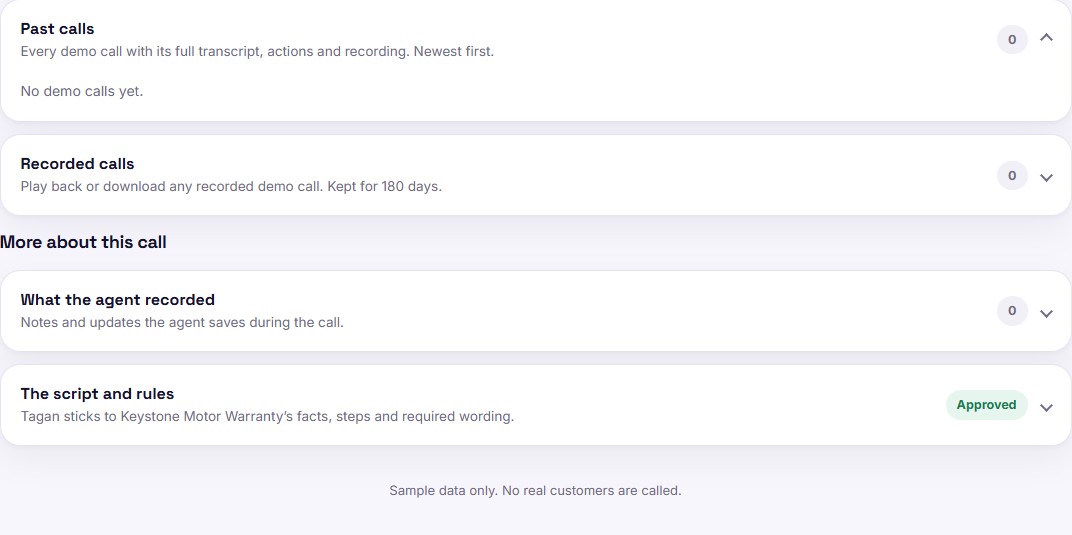
Each call is kept with its full transcript, actions and recording. Play it back, and check the approved script and rules behind it.
Sample data only. The customers and calls shown are made up.
Practise the calls your floor really takes
Outbound sales
The customer wasn't expecting the call, pushes back on price and wants time to think. The agent practises the opening and compliance lines, finding the need, handling objections and closing.
Inbound service
The customer calls in upset about a wrong bill, a delayed order or a service that isn't working. The agent practises calming the caller, finding the answer and getting it right first time.
Collections
The customer is behind on payments, with reasons, excuses or a hard-luck story. The agent practises getting a promise to pay while staying within the rules and treating the customer fairly.
Stop training new agents on live customers
Practise first
New agents make their first mistakes on real customers, and those calls are lost. With Sim Studio they run the hard calls as often as they need first.
Feedback on every call
Team leaders can't listen to every call. Every practice call gets a report straight away, and team leaders see who needs help.
Objections on repeat
AI customers push back the way your real customers do, until the answer comes naturally.
Ready before go-live
Scores per skill show who is ready for the floor and who needs another day of practice.
Sim Studio FAQs
What is ShiftMate Sim Studio?
Sim Studio is where you build your own call centre training simulator. You set up campaigns and AI customers with voices, your agents take practice calls with them, and every call gets a report.
Can we use our own scripts?
Yes, that's how every campaign is built: from your own script, products and compliance lines, so agents practise the exact campaign they'll work on.
Do we have to create the AI customers ourselves?
No. Sim Studio has a library of ready-made AI customers, each with their own personality and voice. Pick the ones you want for your campaign, or create your own.
What do agents need to practise?
A phone or laptop with a microphone and an internet connection. They accept the invitation, create an account and start a practice call.
Is this the same as ShiftMate Academy?
No. Sim Studio is for businesses training their own agents, and for sales people practising their own calls. Individuals looking for free call centre training can use ShiftMate Academy.
Where can I see plans and pricing?
On the Sim Studio plans page, which lists the plans, included practice hours and terms.
Make your hardest call before it counts
Create an account to practise, or set up Sim Studio for your team.